Multi-Kitchen Module for Tabletrack

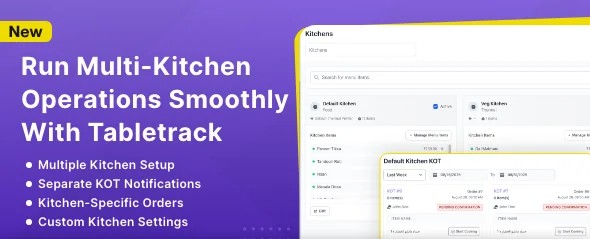
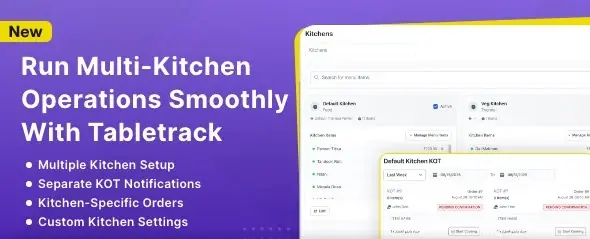
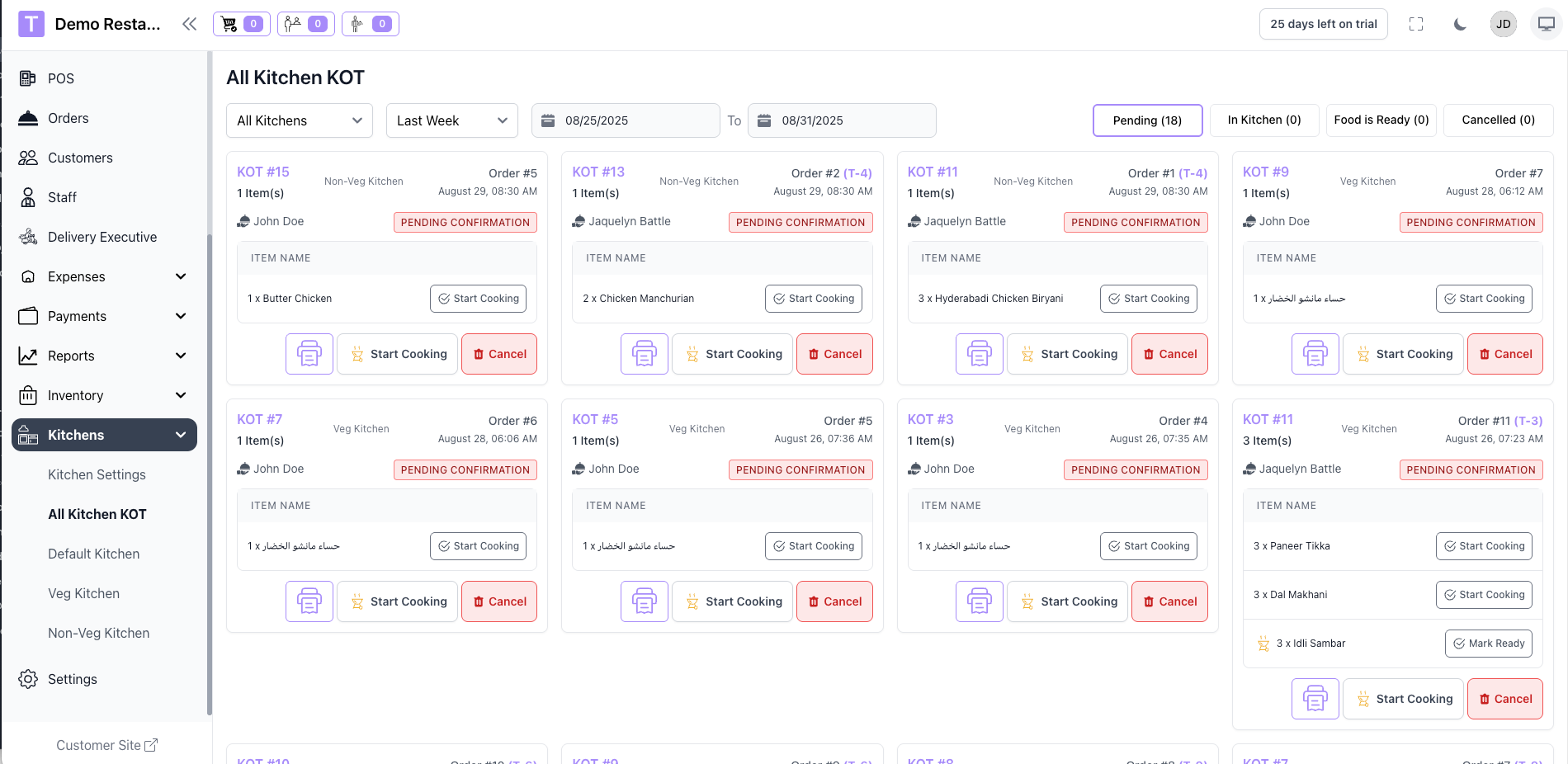
The Multi-Kitchen Module enables restaurants to efficiently manage operations across multiple kitchens or preparation stations within a single outlet or across multiple outlets. It intelligently routes orders, tracks preparation status, and synchronizes communication between front-of-house and back-of-house teams.


Multi-Kitchen Routing & KOT Printing – Add-on Module for TableTrack


The Multi-Kitchen Module for TableTrack is designed for high-volume restaurants and cloud kitchens. It allows seamless kitchen-wise order management and intelligent KOT (Kitchen Order Ticket) generation based on kitchen assignments.


Note: Please note that the Multi-Kitchen Module is not a standalone product and is only compatible with Tabletrack version 1.2.33 or newer. 


Key Features


  1. Kitchen-wise Item Routing
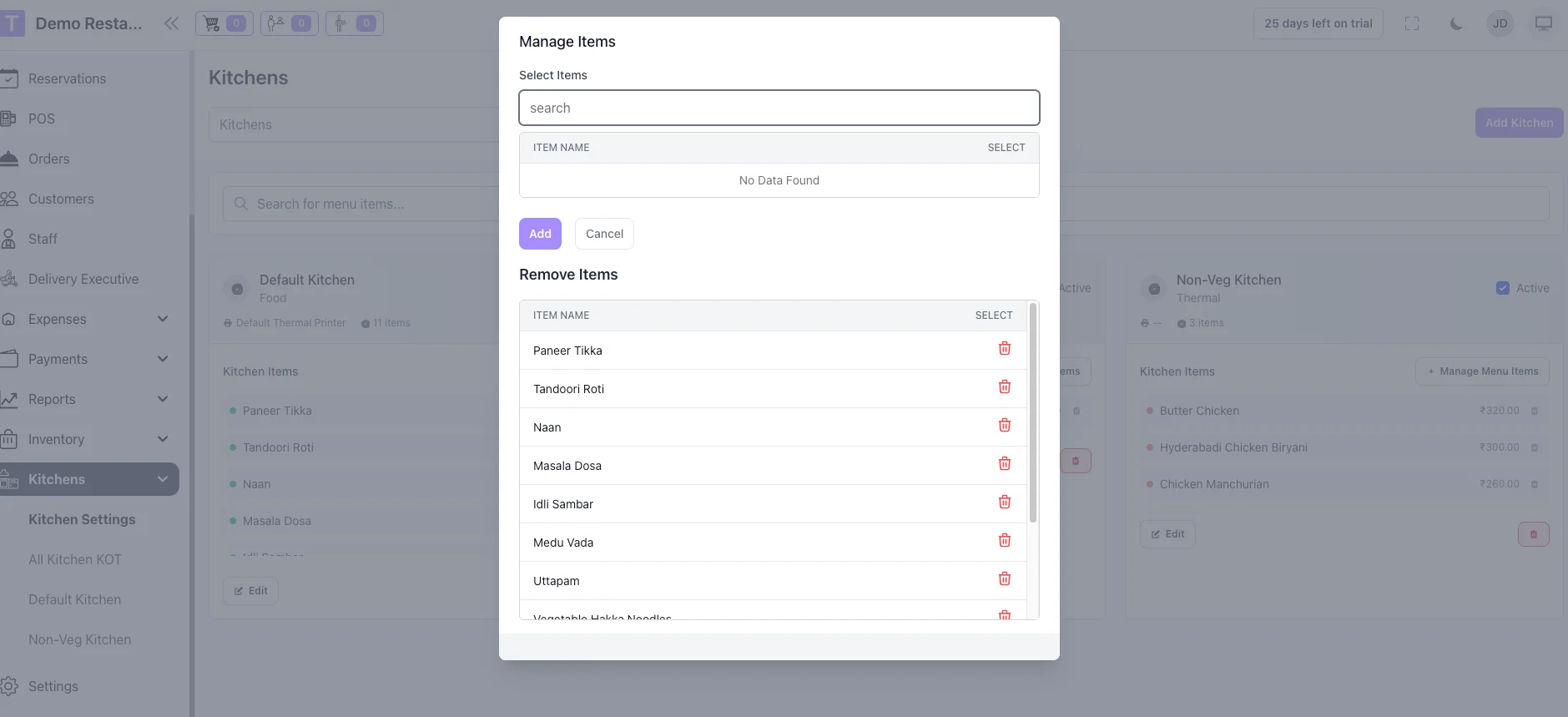
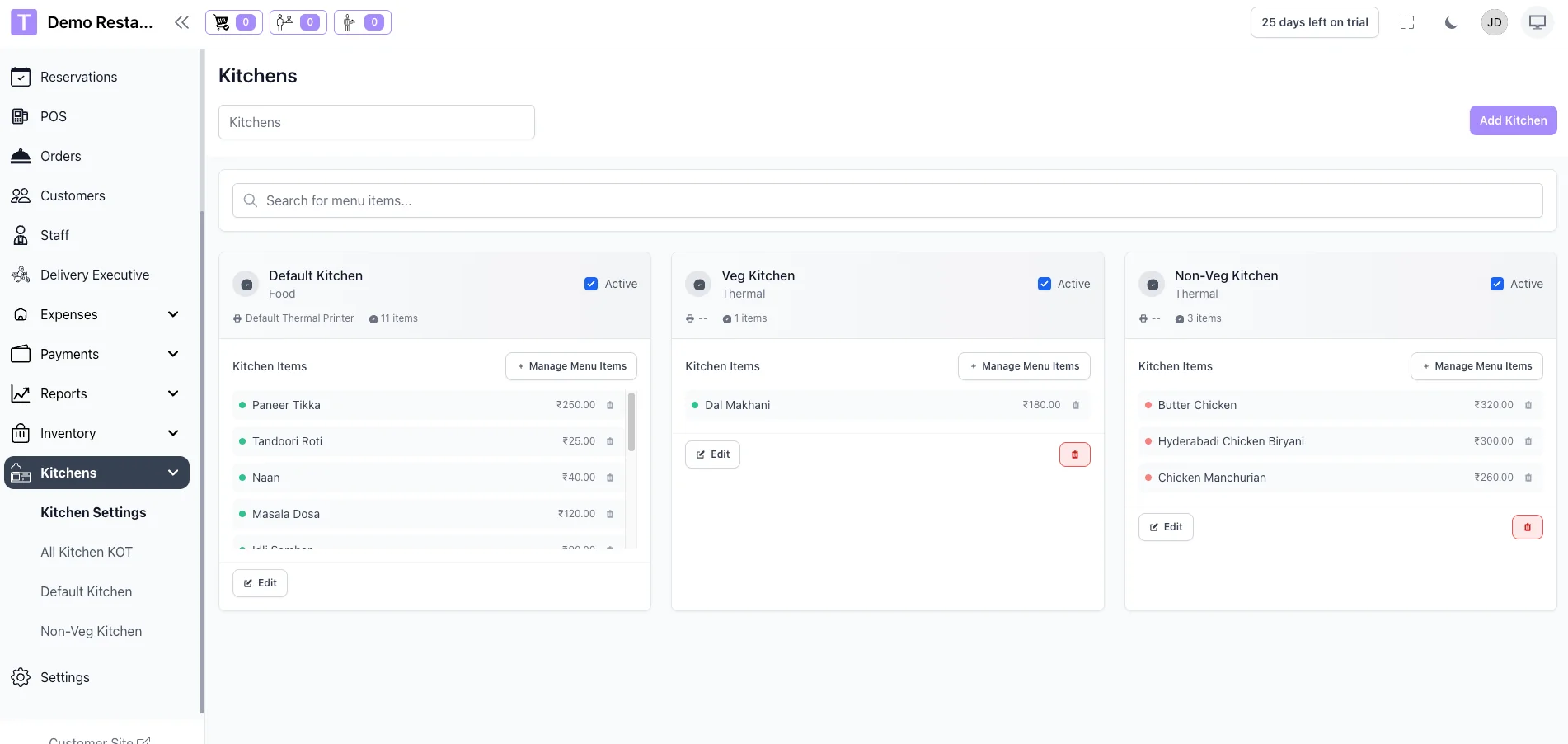
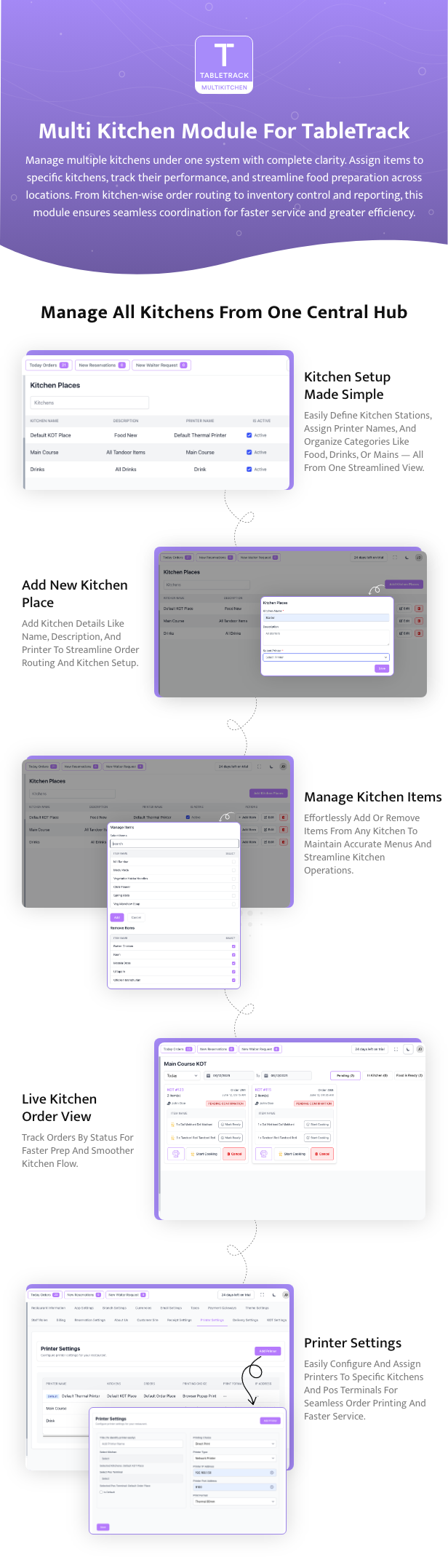
    Assign specific menu items to different kitchen sections (e.g., Grill, Fryer, Beverage). Orders are automatically split based on these kitchen mappings.
  2. Separate KOT for Each Kitchen
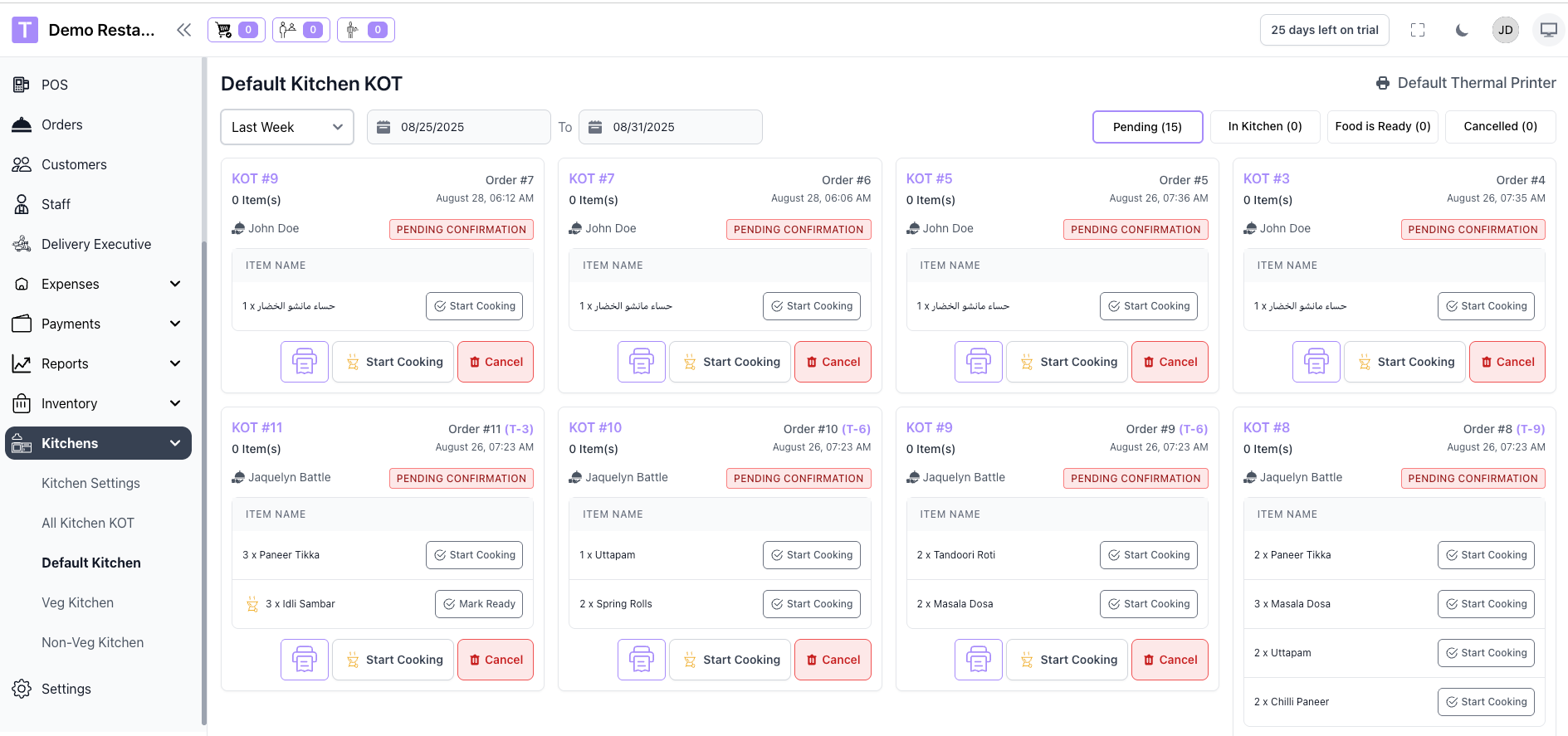
    When a customer places an order with items from multiple kitchens, the system generates individual KOTs for each kitchen, containing only the relevant items.
  3. Multiple Printer Support
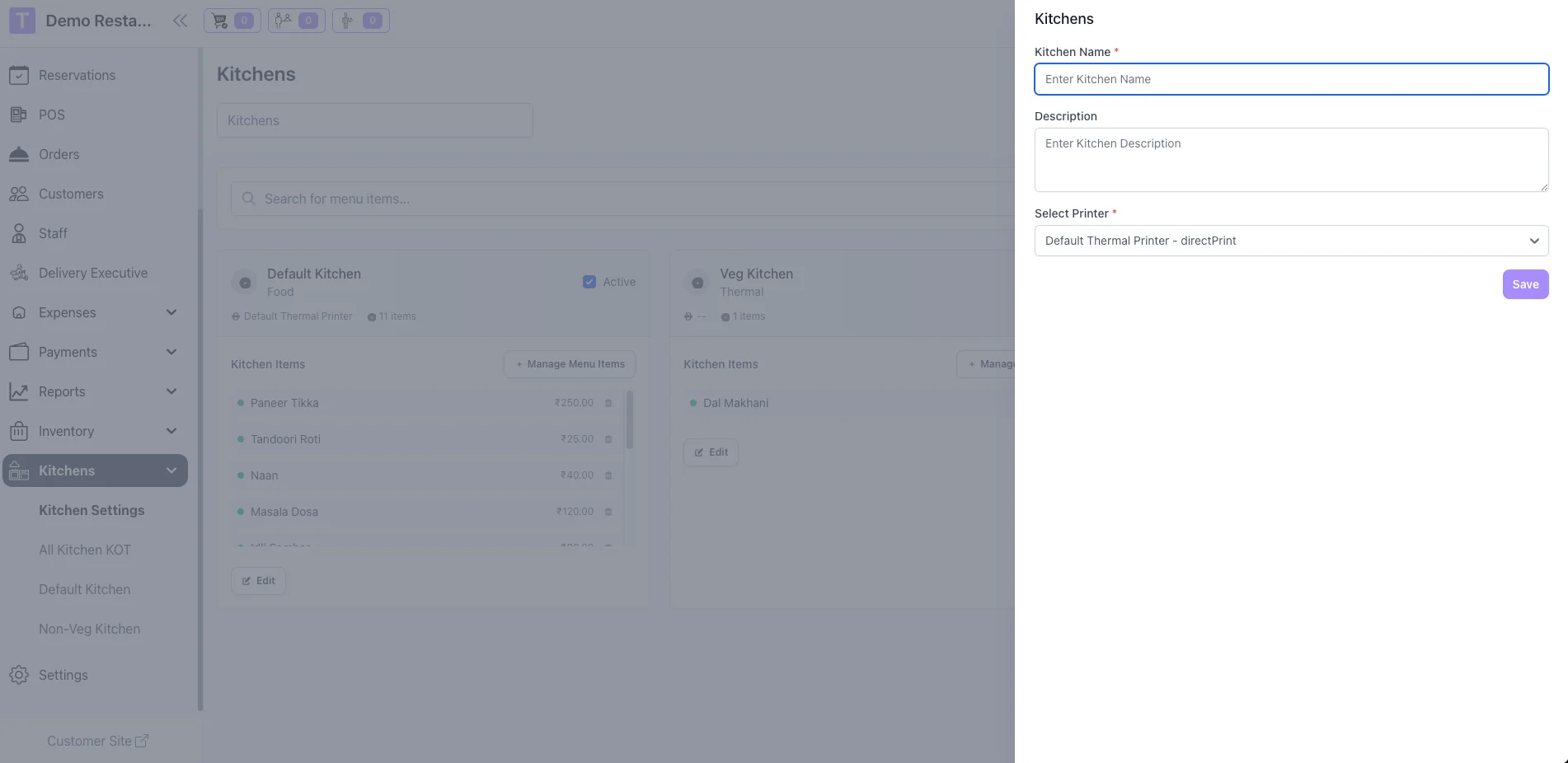
    Assign a specific printer to each kitchen. When an order is placed, each KOT is automatically routed to its corresponding printer.
  4. Admin Order View with Kitchen Breakdown
    In the admin panel, each order shows a breakdown by kitchen, giving managers full visibility into preparation responsibilities.


Technical Specifications


  • Built on Laravel + Livewire
  • POS front-end compatible (Tailwind 3 UI)
  • Supports thermal printers (80mm / 58mm paper size)


Ideal For


  • Restaurants with separate kitchen sections
  • Multi-brand cloud kitchens
  • Food courts and hotel kitchens
  • Fine dining restaurants with specialized stations


Requirements


  • TableTrack base application (latest version)
  • Order and POS modules must be installed and active

Note: The Multi-Kitchen Module requires proper printer configuration and kitchen setup. It’s advisable to test the setup in a staging environment before deploying to production to ensure smooth operation.


Setup


Setting up the Multi-Kitchen Module is easy and requires no coding skills. Simply follow the provided documentation or reach out to our team for assistance. Our team is available to help with installation and setup upon request.
 

cJhA9CYeVyWWacY_1767953083.png


Other Addons:

kgJRoJDVRO9Sw7A_1770400940.jpg


HjUmMFn0zdXAoKI_1770400940.jpg


xftZd6pam1rn8cI_1770400941.jpg


c5SOYAAV2gr4exx_1770400941.jpg


Ve6EimUPHy0dBCH_1770400941.jpg


8FsQCt3nnzGsQh0_1770400941.jpg


Ou5PTuerivQzytO_1770400941.jpg


55oMhrab9v3GXlf_1770400941.webp


JPWbr74Gxtyz3zT_1770400941.webp


B2nwyWju26GoNwl_1770400941.webp


License Option
Free Free
Rs2,032.35 Rs10,012.35
Rs3,387.25 Rs16,687.25
Quality checked by CodeSmith
Full Documentation
Future updates
Contact us to extend your support

Last update:

Feb 07, 2026 07:49 AM

Version:

v1

Category:

High Resolution:

No

Software Version:

Files Included:

Software FrameWork:

Laravel

Published:

Jan 09, 2026 03:36 PM
Bytezilla's items

Similar items

We use cookies to personalize your experience. By continuing to visit this website you agree to our use of cookies

More